
📝 AI Smart Notes
WiseMind AI offers AI Smart Notes, allowing users to extract note-worthy content from documents during their learning process for easy review.
Additionally, you can use the AI features to tag notes, optimize them, summarize or expand upon them, and improve your writing.
Basic Setup
Please configure: Large Language Model API Key first.
💡 Feature Overview
In WiseMind AI, you can also save web content, summaries, and AI conversation as notes for convenient review of your learning materials.
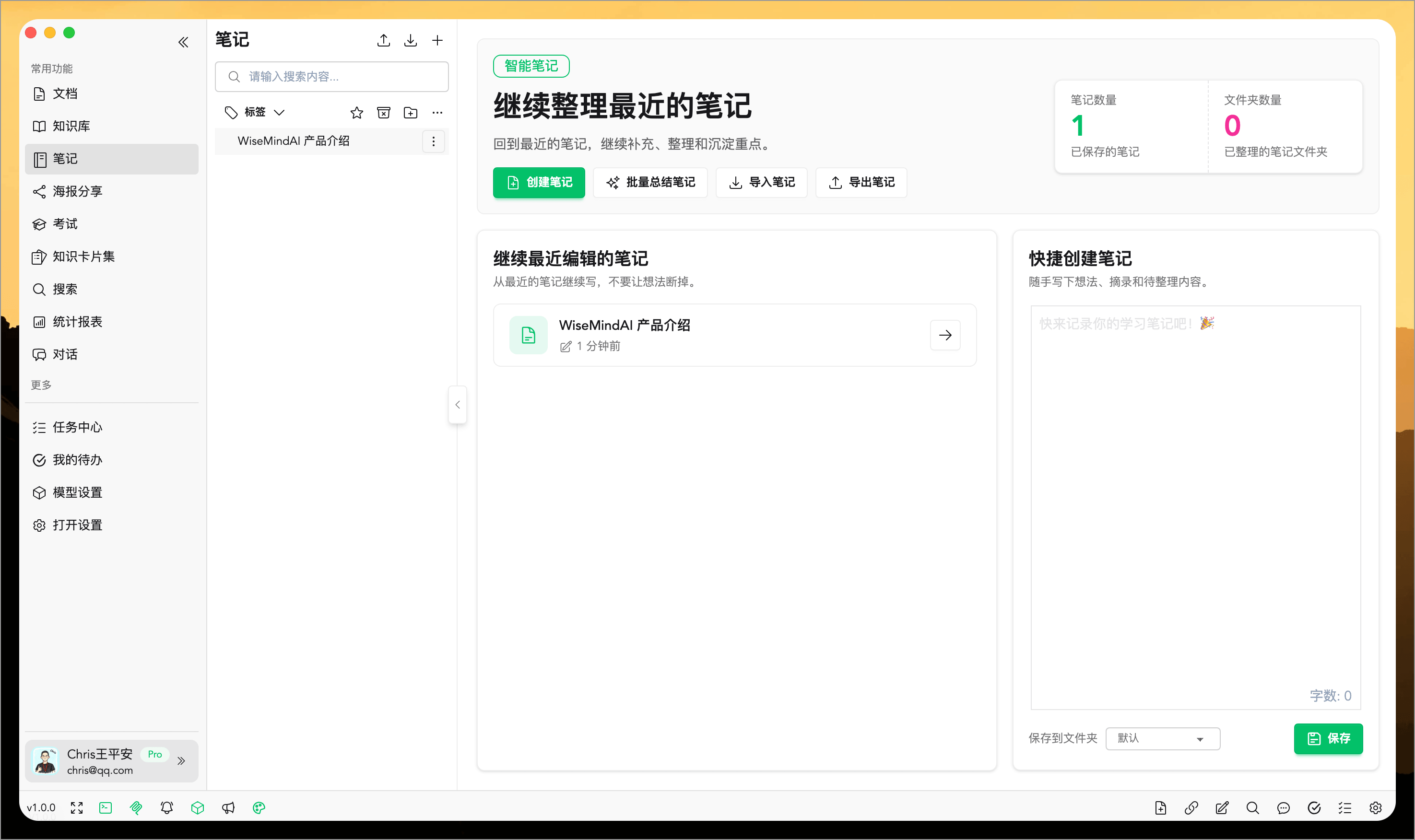
📖 How to Use
Currently, there are several entry points where you can save content into a note:
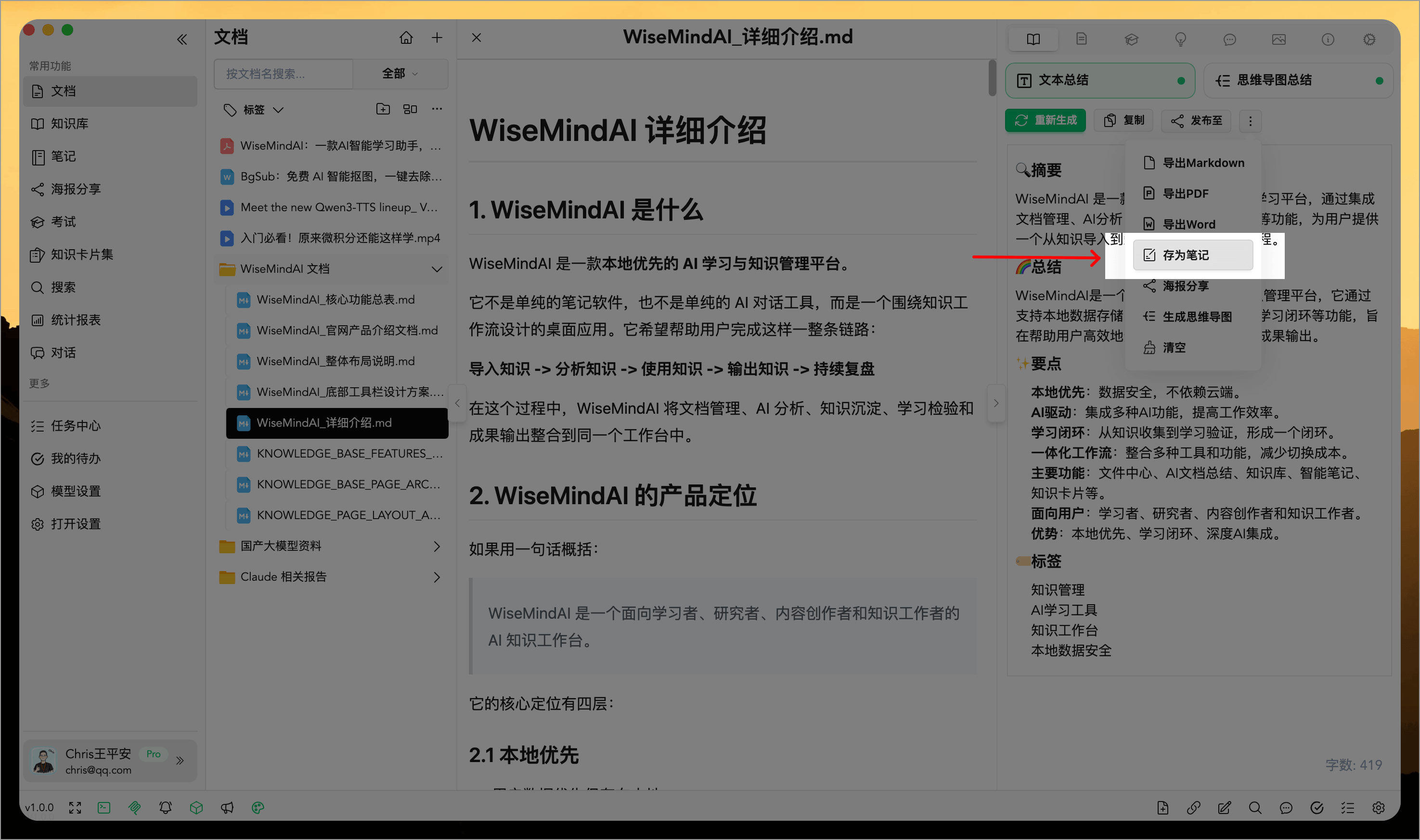
1. AI Document Summary
After summarizing a document with AI, click the "Save as Note" button in the top-right corner to save it:
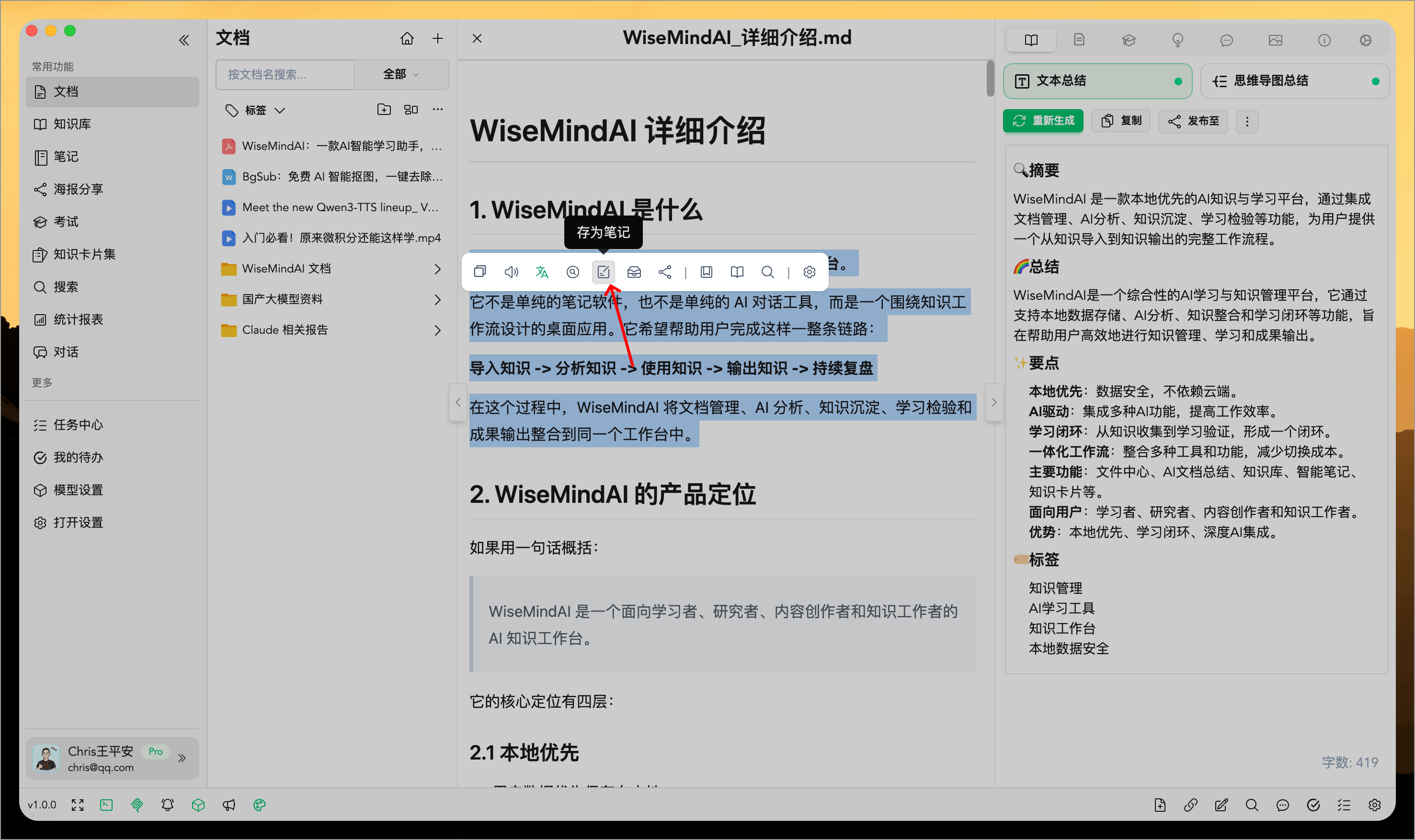
2. Highlight Tool
Once you open any document, highlight text within it and save your selection as a note:
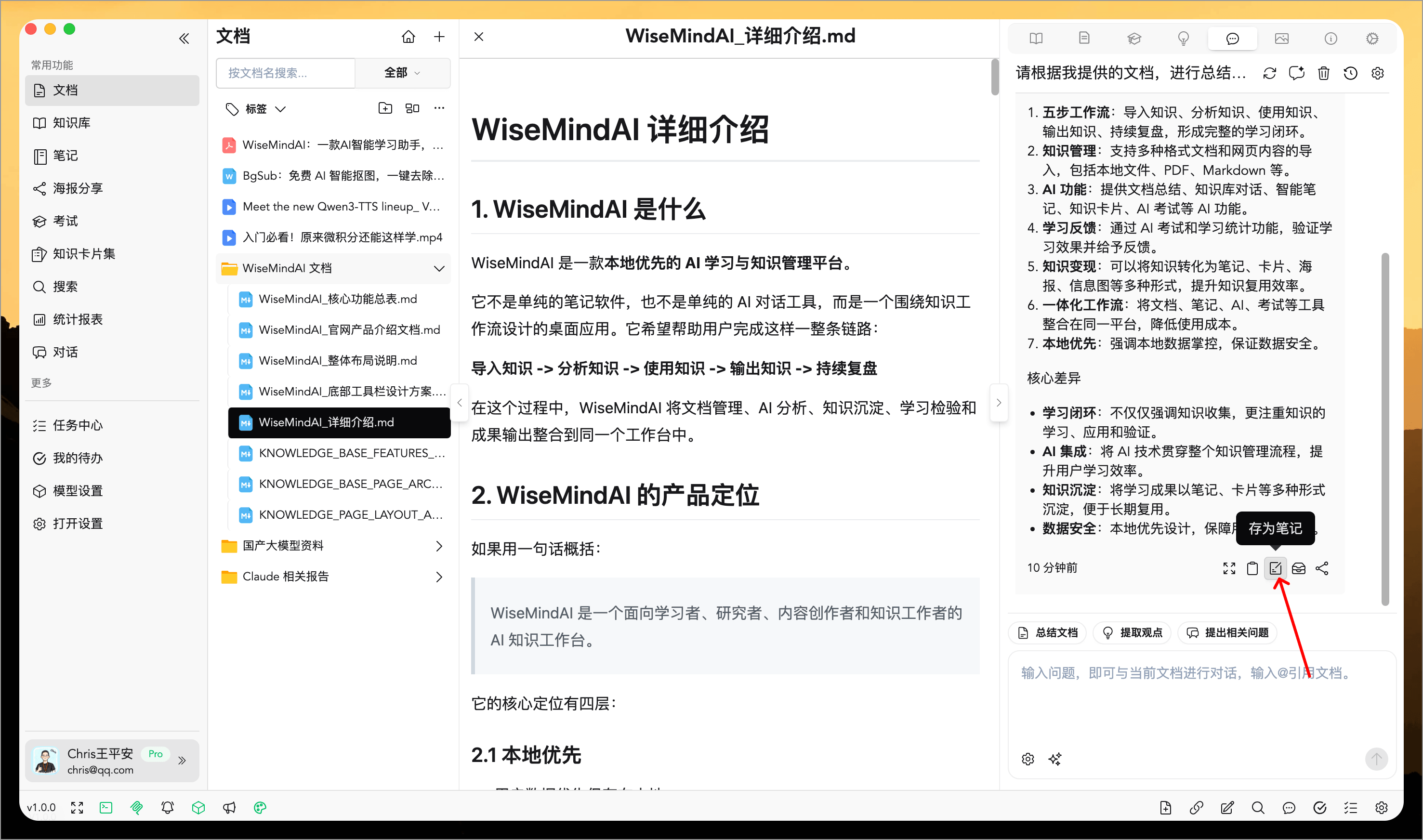
3. AI Conversation Content
During an AI conversation, you can also save specific parts of the dialogue into notes:
4. Create New Note
You can directly edit a note in the right-hand panel to organize your thoughts while you learn.
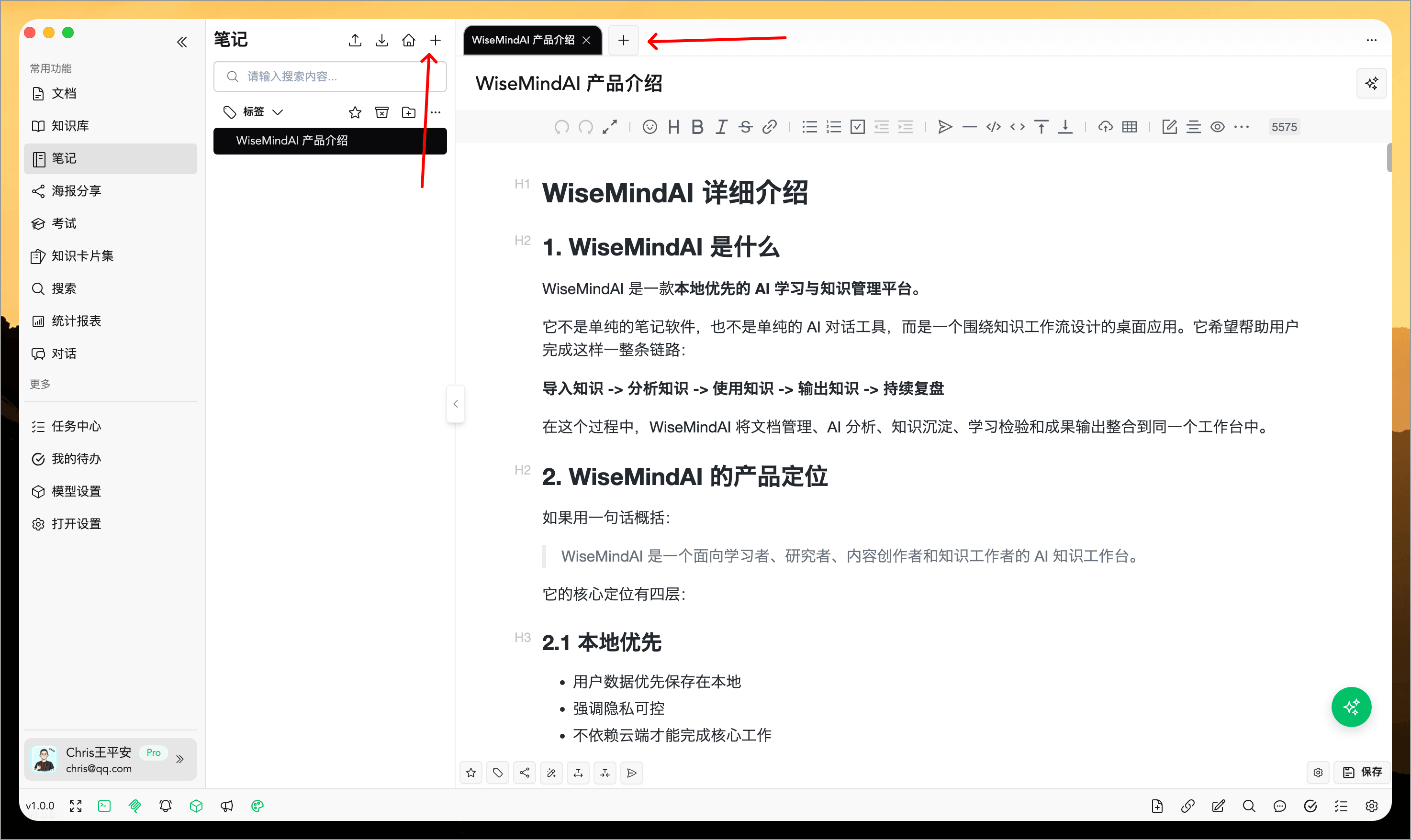
There are many other ways to save content into notes as well.
🌈 Core Features
The note editor supports multiple AI features, including:
- Add Tags: Easily attach custom tags to your content for organized categorization and quick retrieval.
- Generate Posters: Create eye-catching posters with a single click to meet various presentation needs.
- AI Rewrite: High-quality text rewriting that refreshes the expression while preserving the original meaning.
- AI Expand: Enrich details based on your original logic, expanding the length of the text for greater depth and substance.
- AI Summarize: Precisely extract core information to compress the length without losing key points.
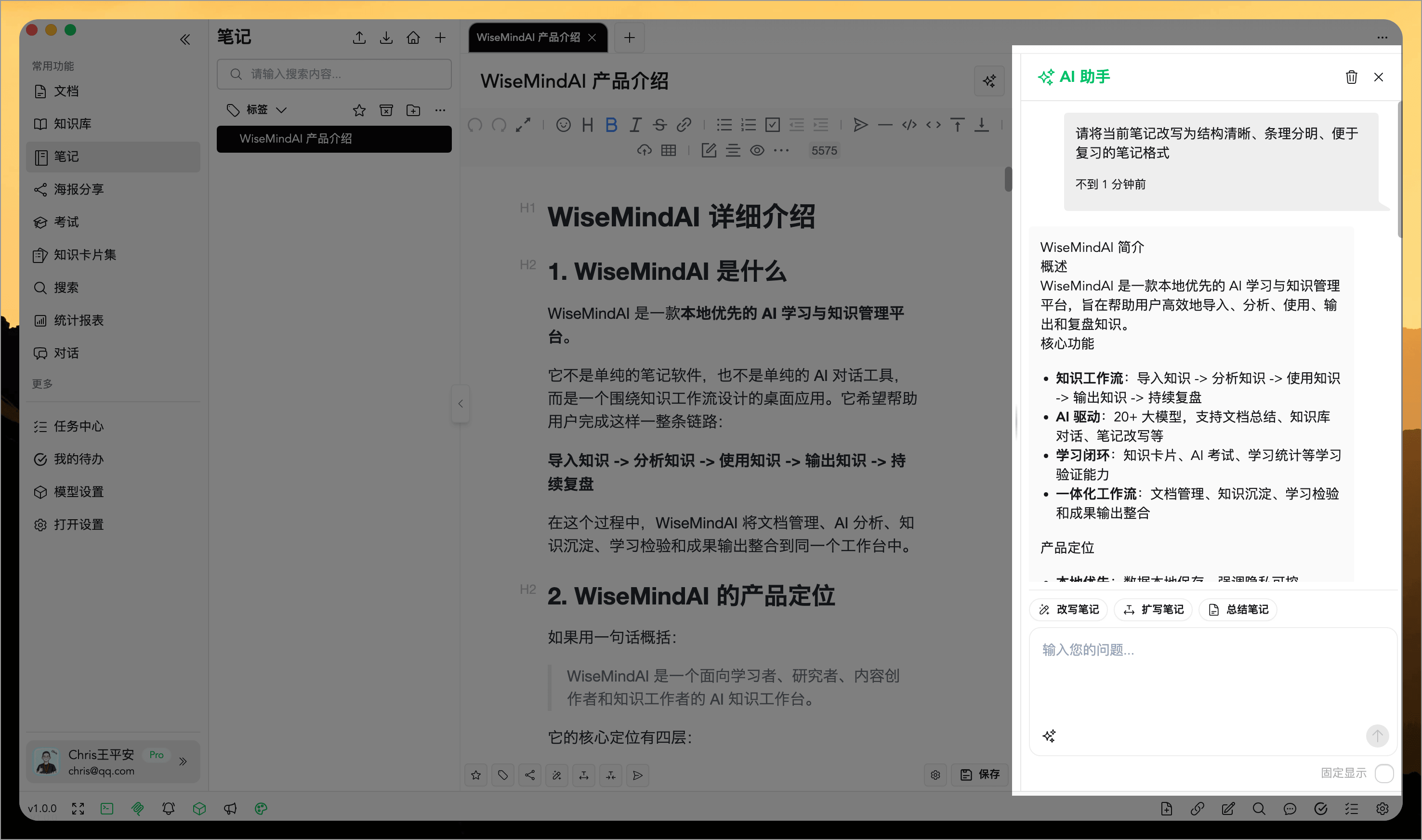
- AI Assistant: Seamlessly leverage AI assistance throughout your note creation process at any time.
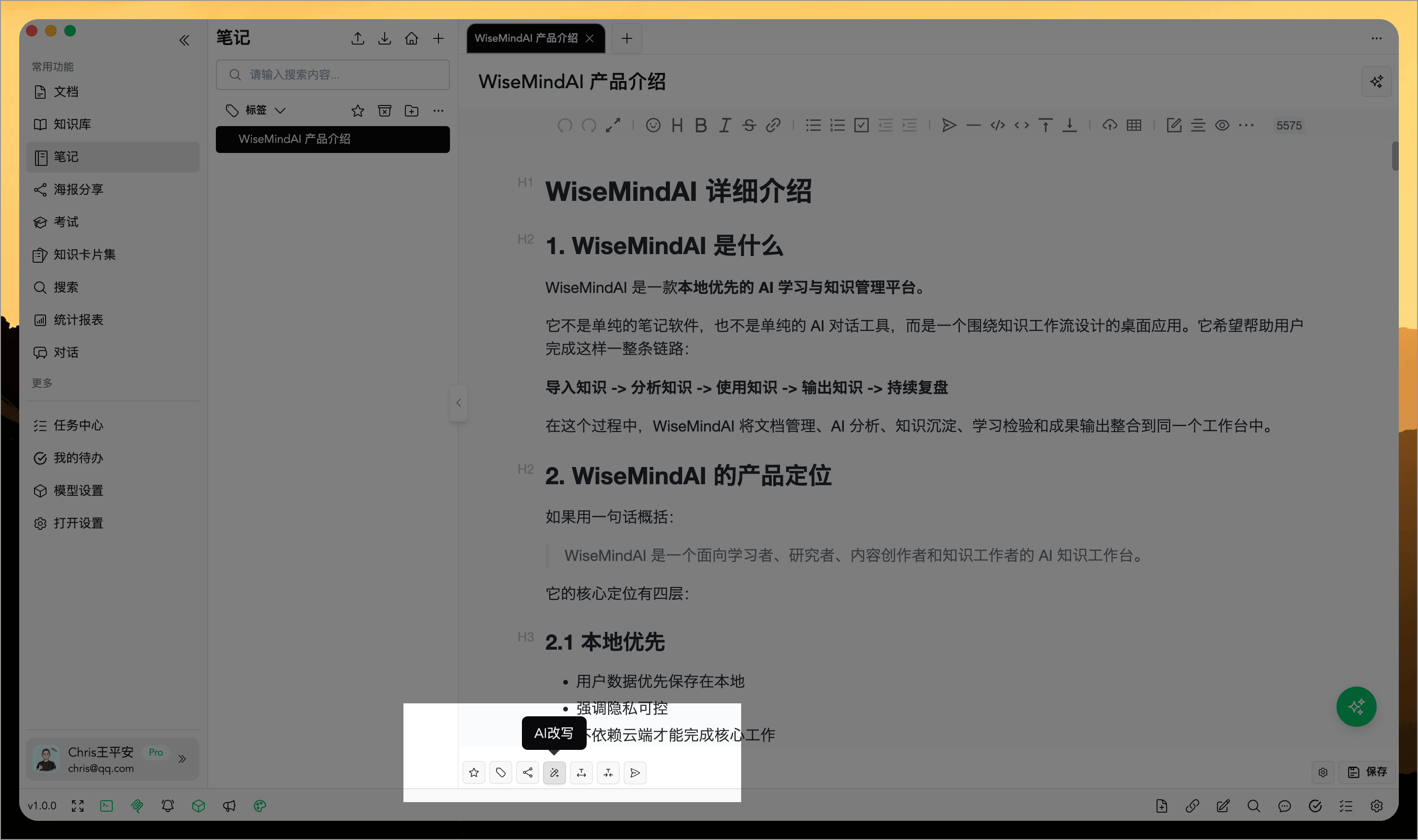
You can also utilize a highlight tool within the notes, which supports customizing AI prompts (detailed in upcoming documentation):
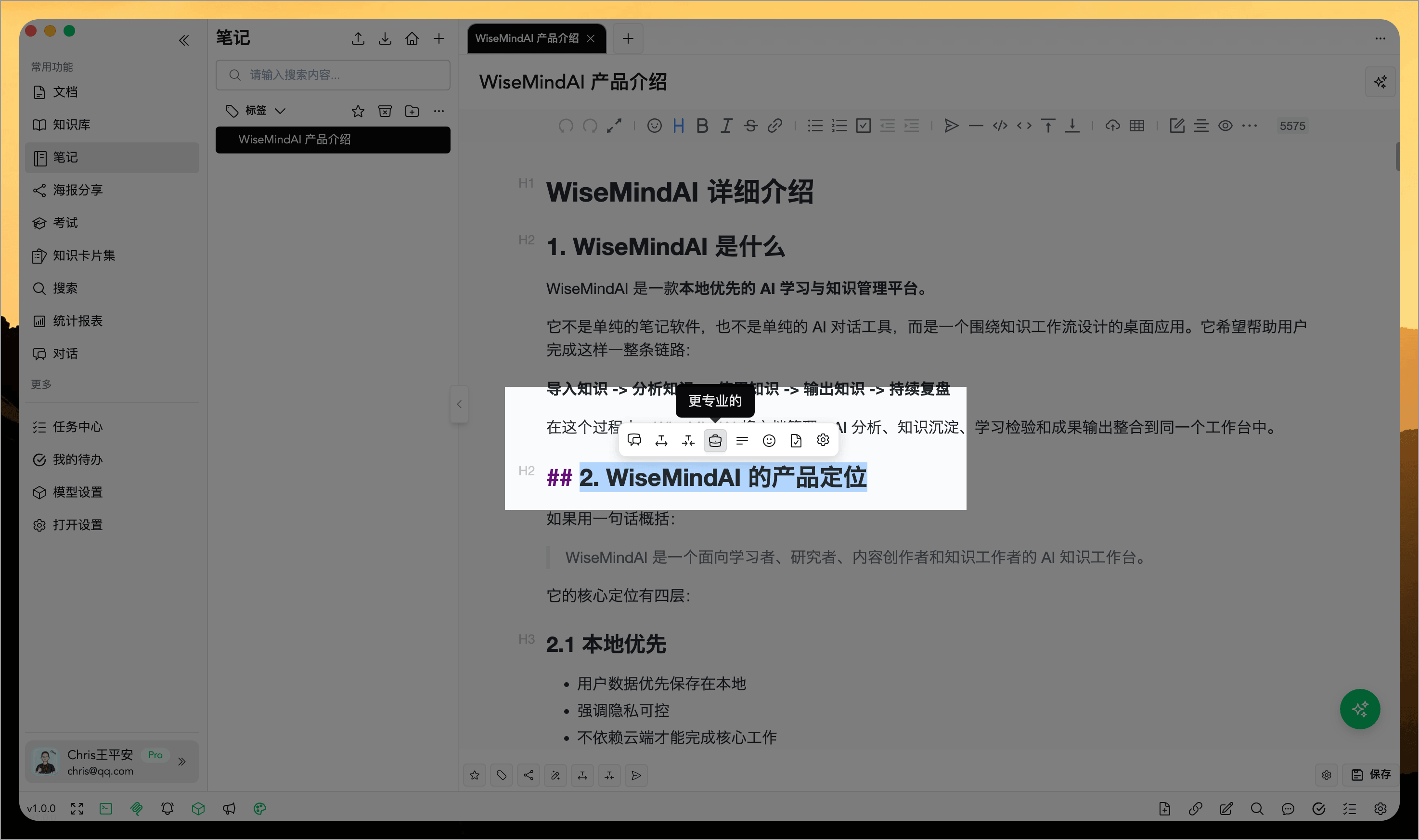
Here is an introduction to the AI Assistant:
FAQ
Where can I create WiseMind AI notes?
You can create notes from document summaries, highlight tool selections, AI conversations, and manual editing. This ensures that your learning materials, web content, and AI outputs are all consolidated into a single note system.
What is AI Smart Notes suitable for?
It's ideal for saving key takeaways, organizing abstracts, rewriting expressions, expanding or compressing long texts, adding tags, generating posters, or syncing to external note platforms.
How does an AI Smart Note differ from a Knowledge Card?
AI Smart Notes are best suited for preserving complete content and ideas; Knowledge Cards are better designed for breaking down concepts into smaller chunks for memorization, review, and practice.