
🔌 MCP Service
WiseMindAI now supports the Model Context Protocol (MCP) service. This allows for standardized connections between external tools, data sources, and AI capabilities, unlocking more automation and extension scenarios for advanced users and developers.
Across different AI applications, you can add notes, documents, and other content to WiseMindAI by invoking the MCP service. This helps everyone save their own notes or documents more efficiently.
🚀 Quick Start
To use it, first enable the MCP Service in your WiseMindAI settings and copy the configuration:
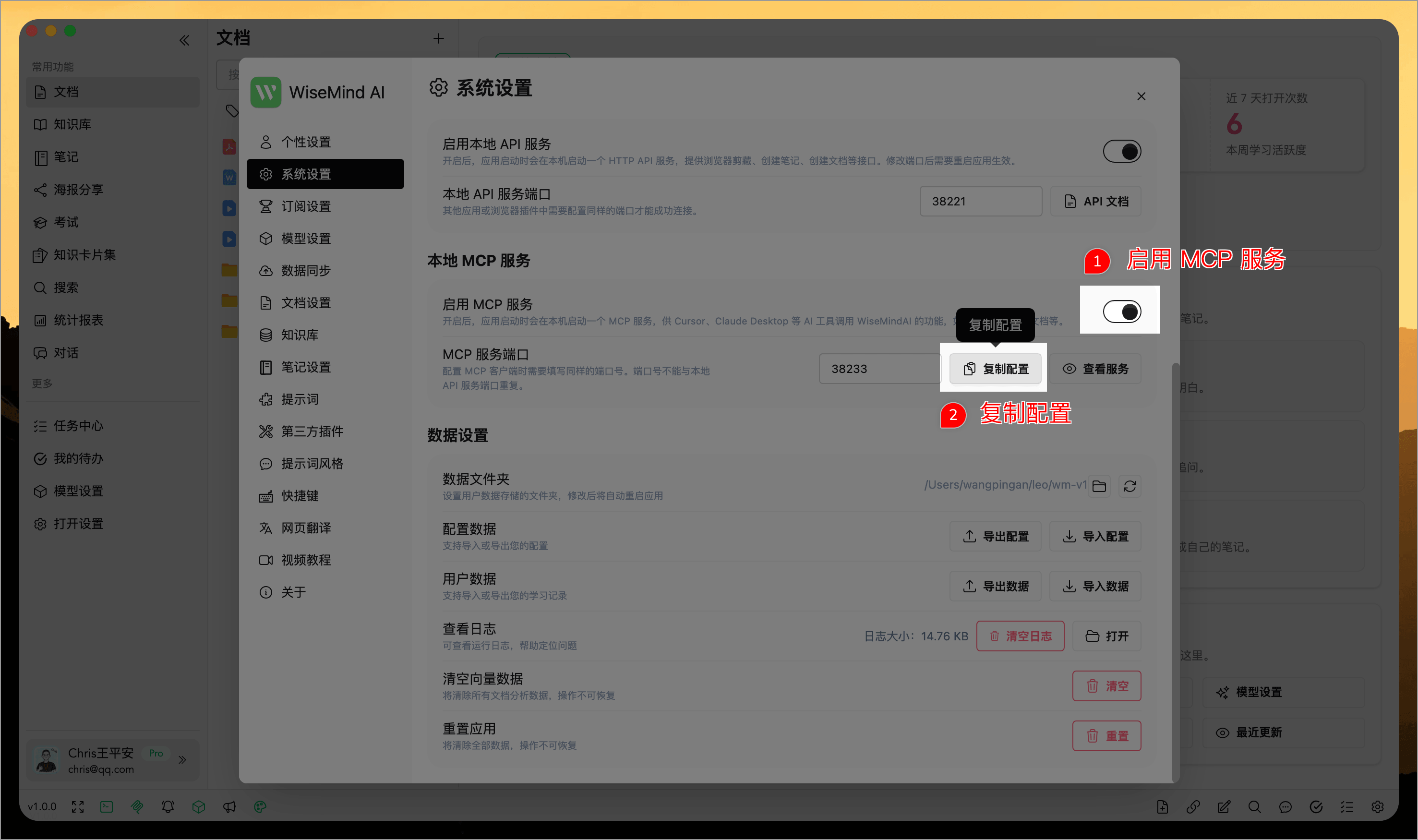
Then add the WiseMindAI MCP service to other AI applications.
📖 Usage Guide
1. In Cursor
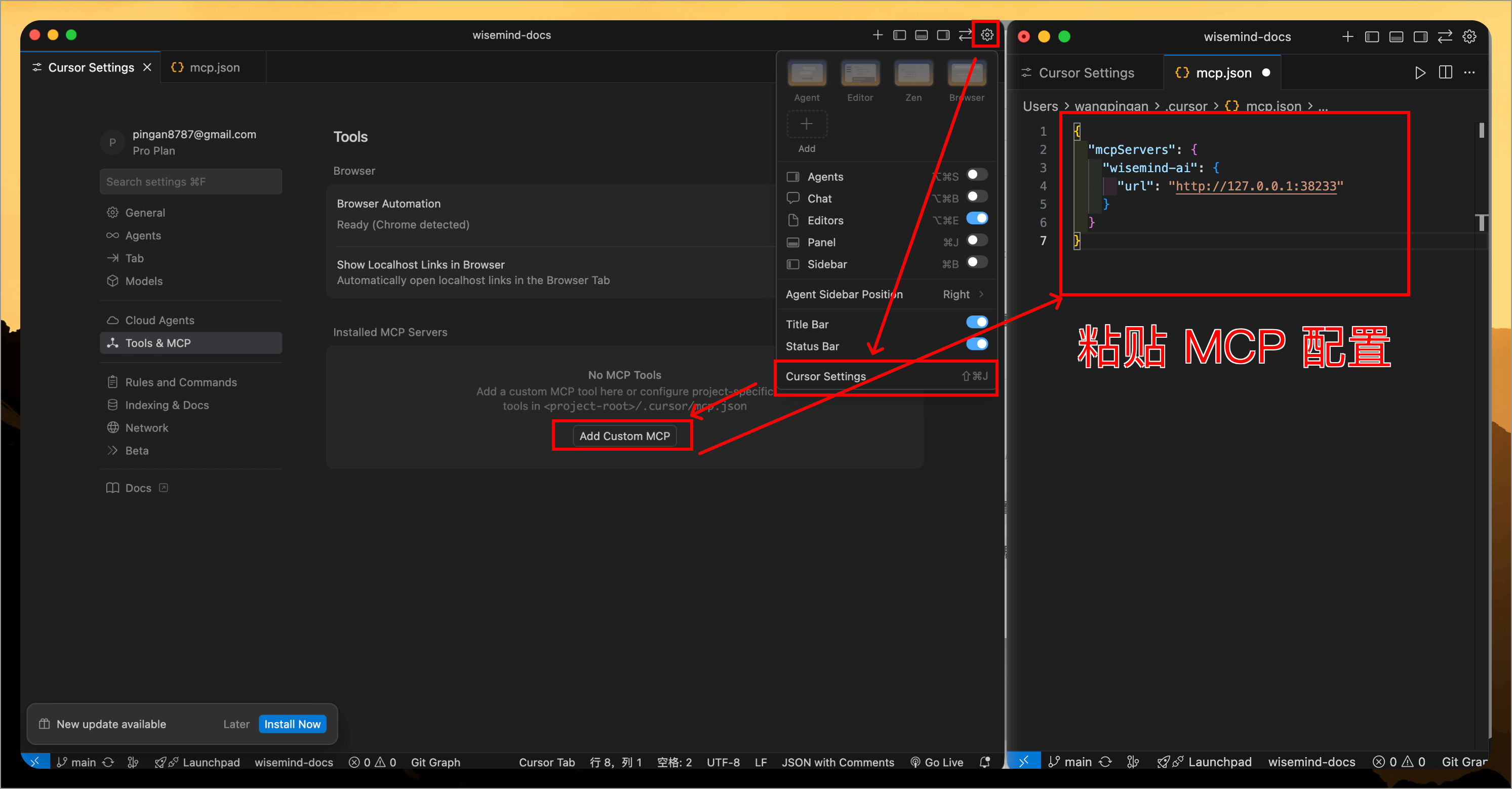
Open the MCP configuration in Cursor, then add a new MCP by pasting and saving the copied configuration.
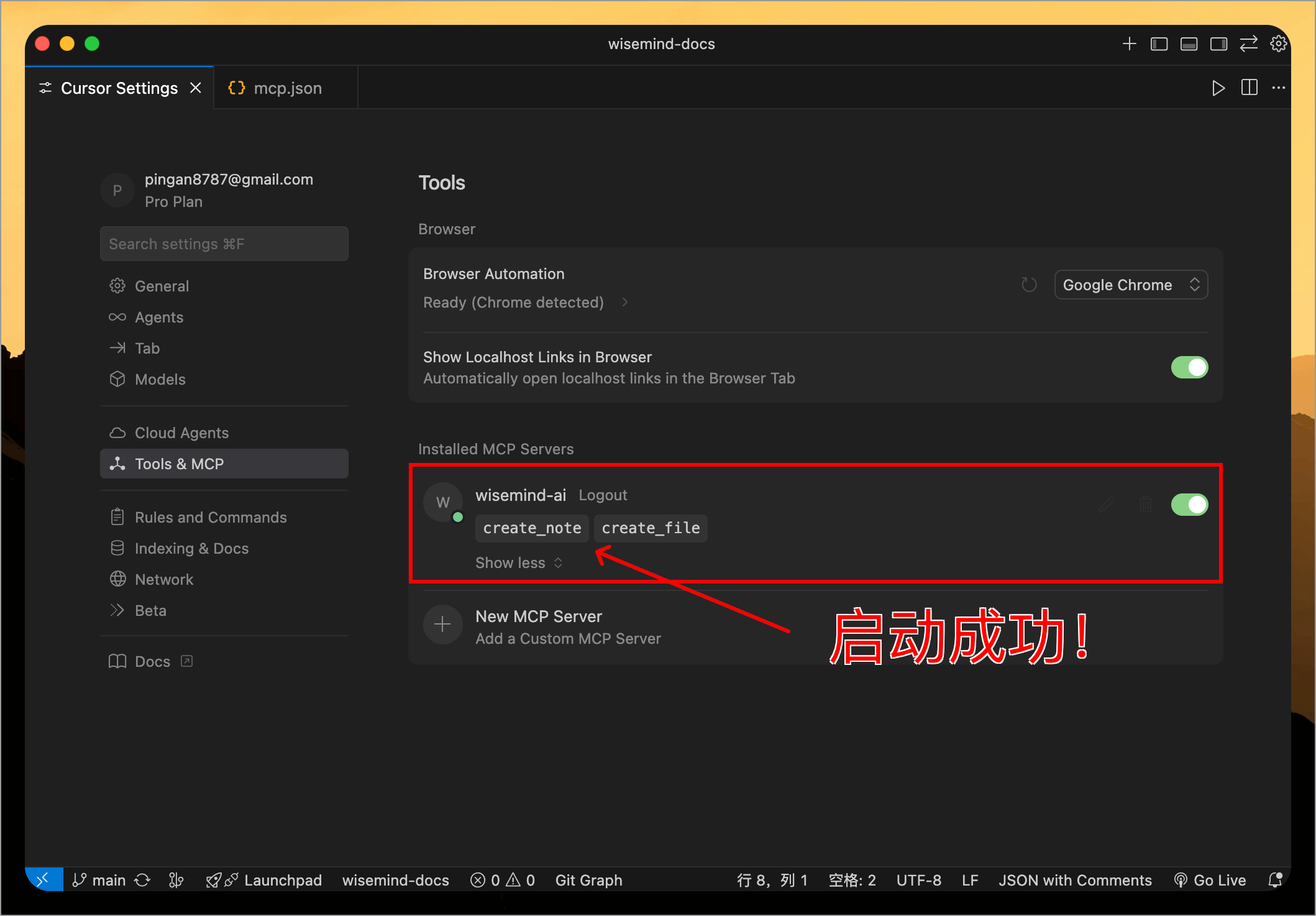
When you see the green indicator and tool name, it means the MCP connection is successful!
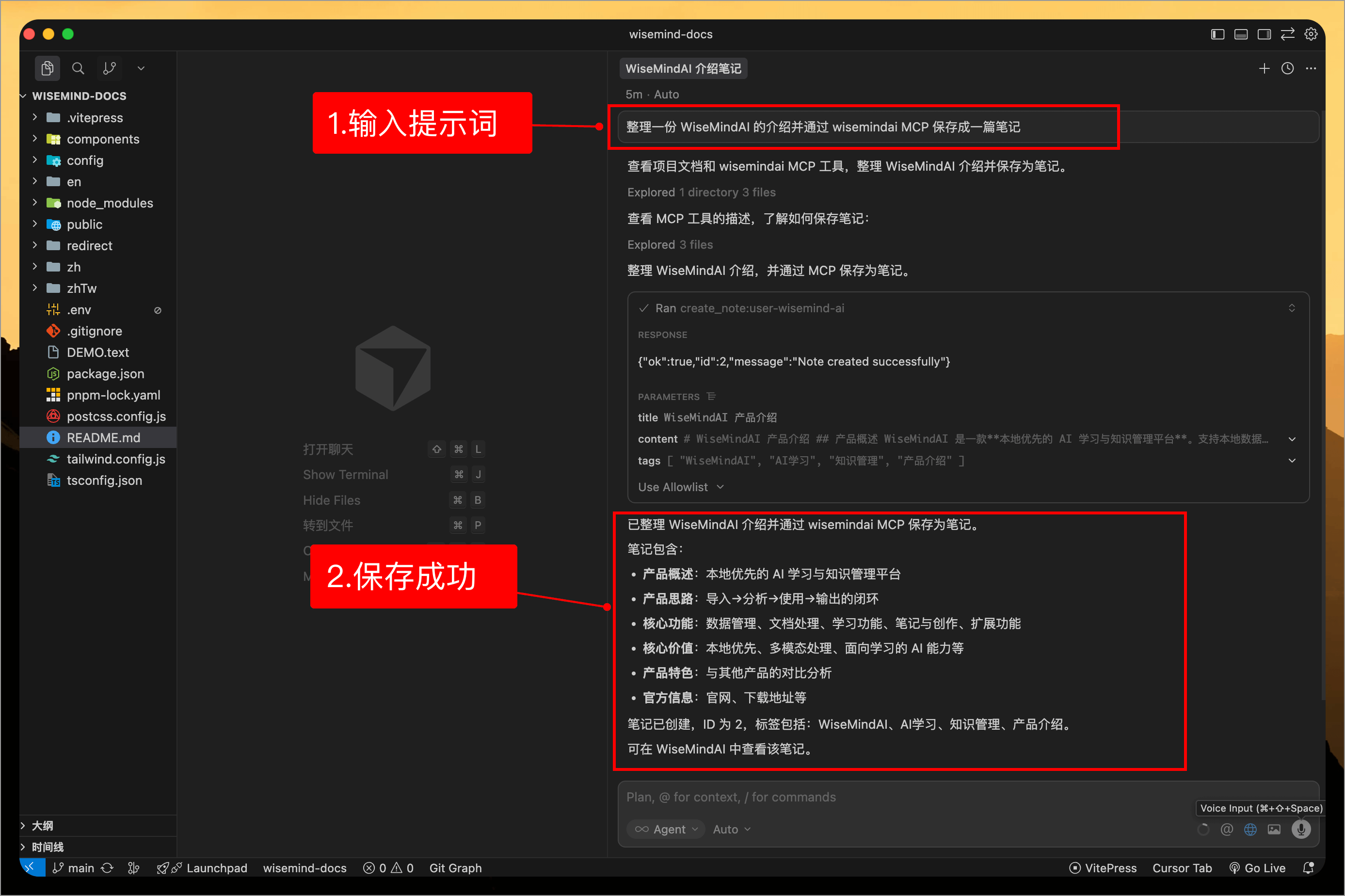
At this point, you can input prompts similar to the one below in the Cursor dialog box to have Cursor invoke WiseMindAI's MCP:
Summarize an introduction to WiseMindAI and save it as a note using wisemindai MCP
Then return to WiseMindAI, where you can see the note just created from Cursor:
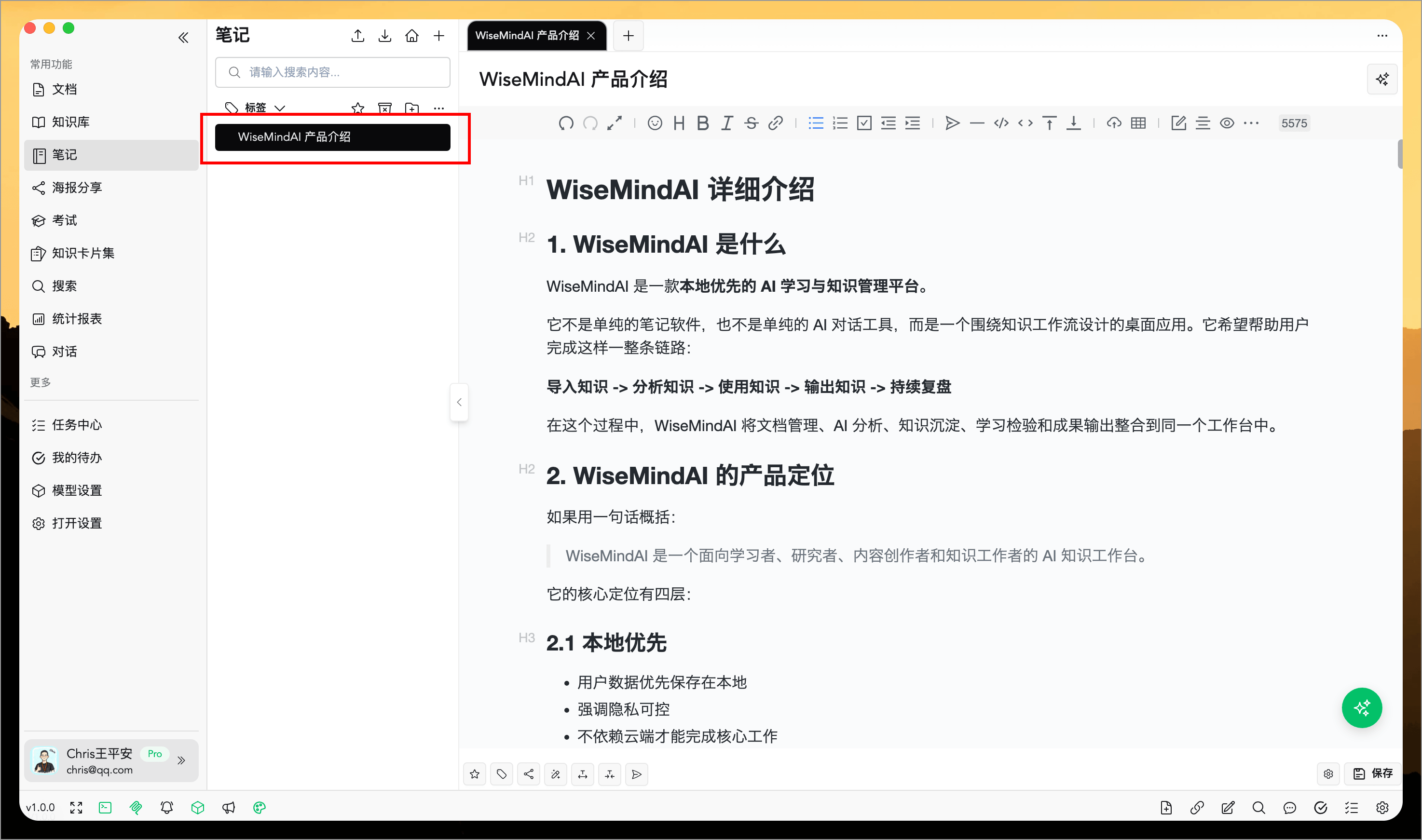
2. In Cherry Studio
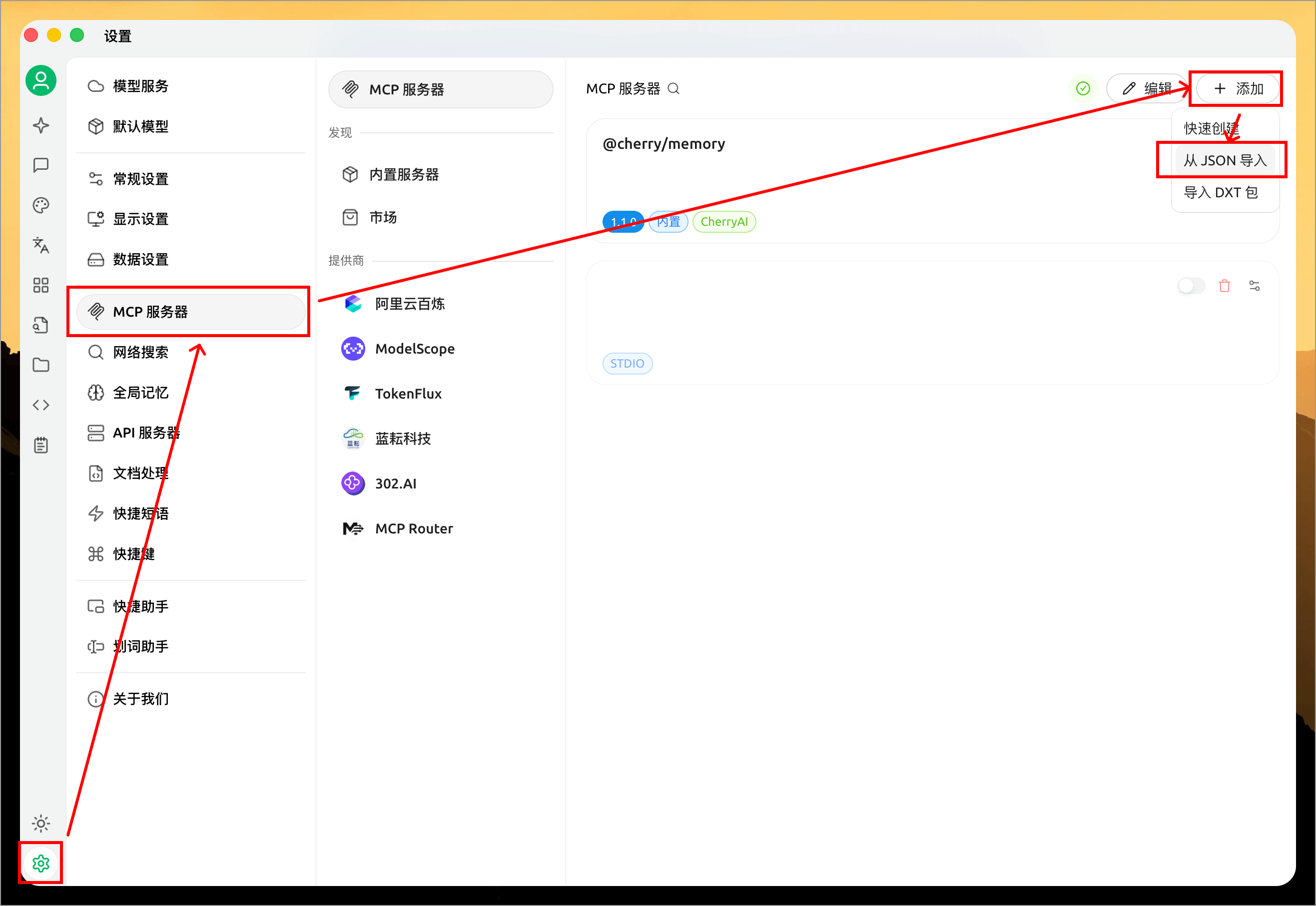
Open the "MCP Servers" configuration in Cherry Studio, click "Add", then click "Import JSON". Paste and save the copied MCP configuration.
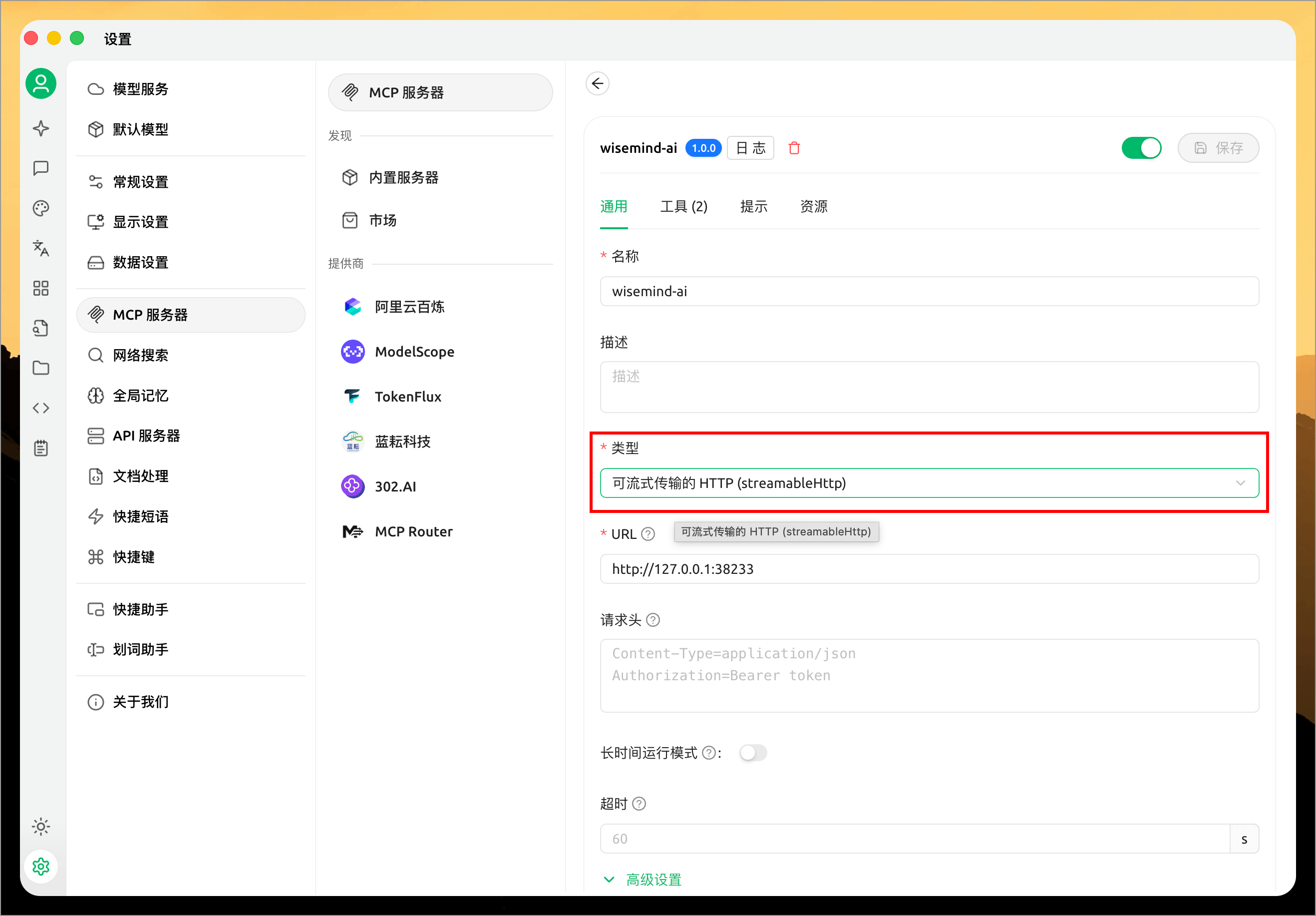
After adding it successfully, open this MCP settings page and set the "Type" to "streamableHttp":
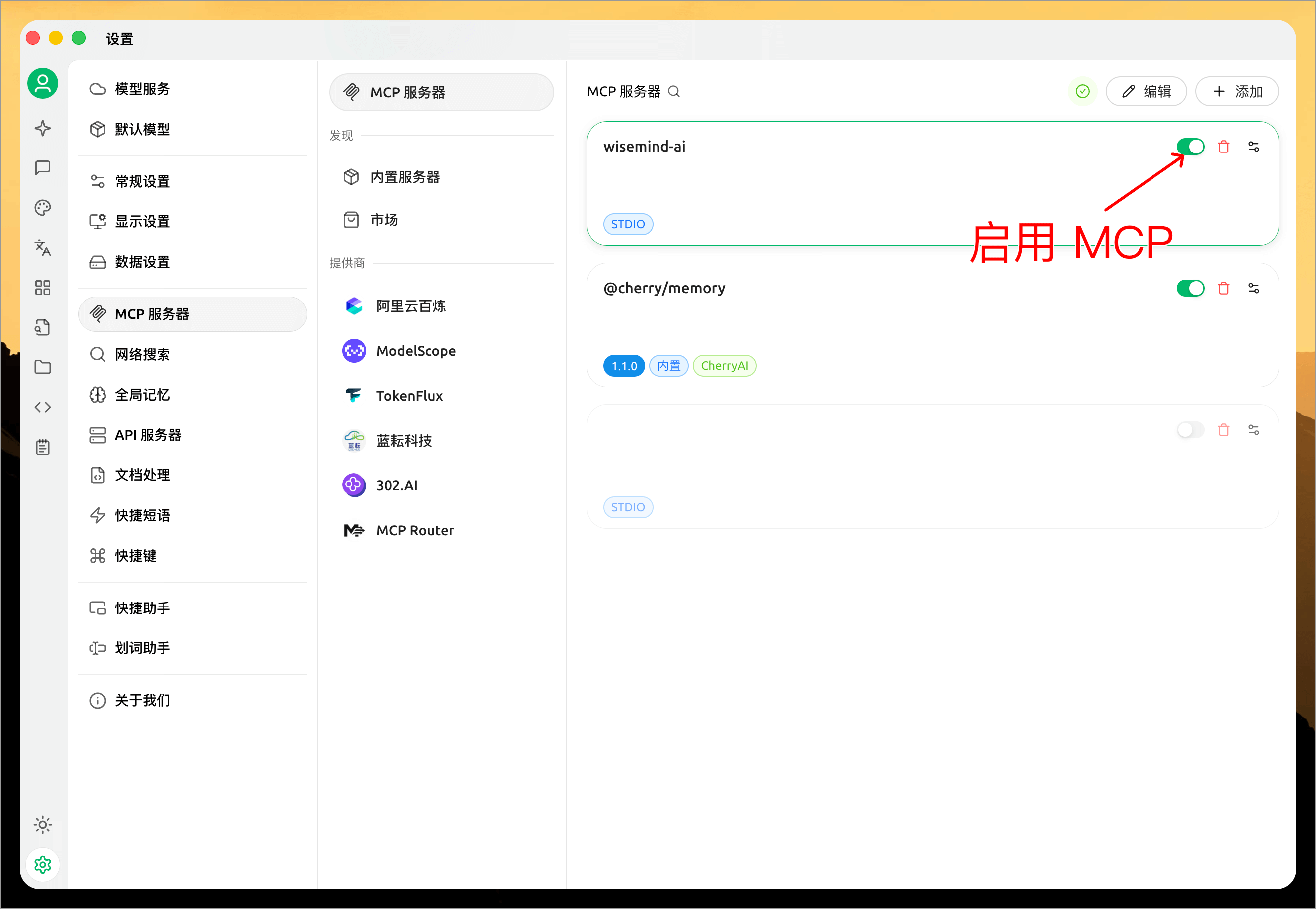
Once added, you need to click the switch to enable it:
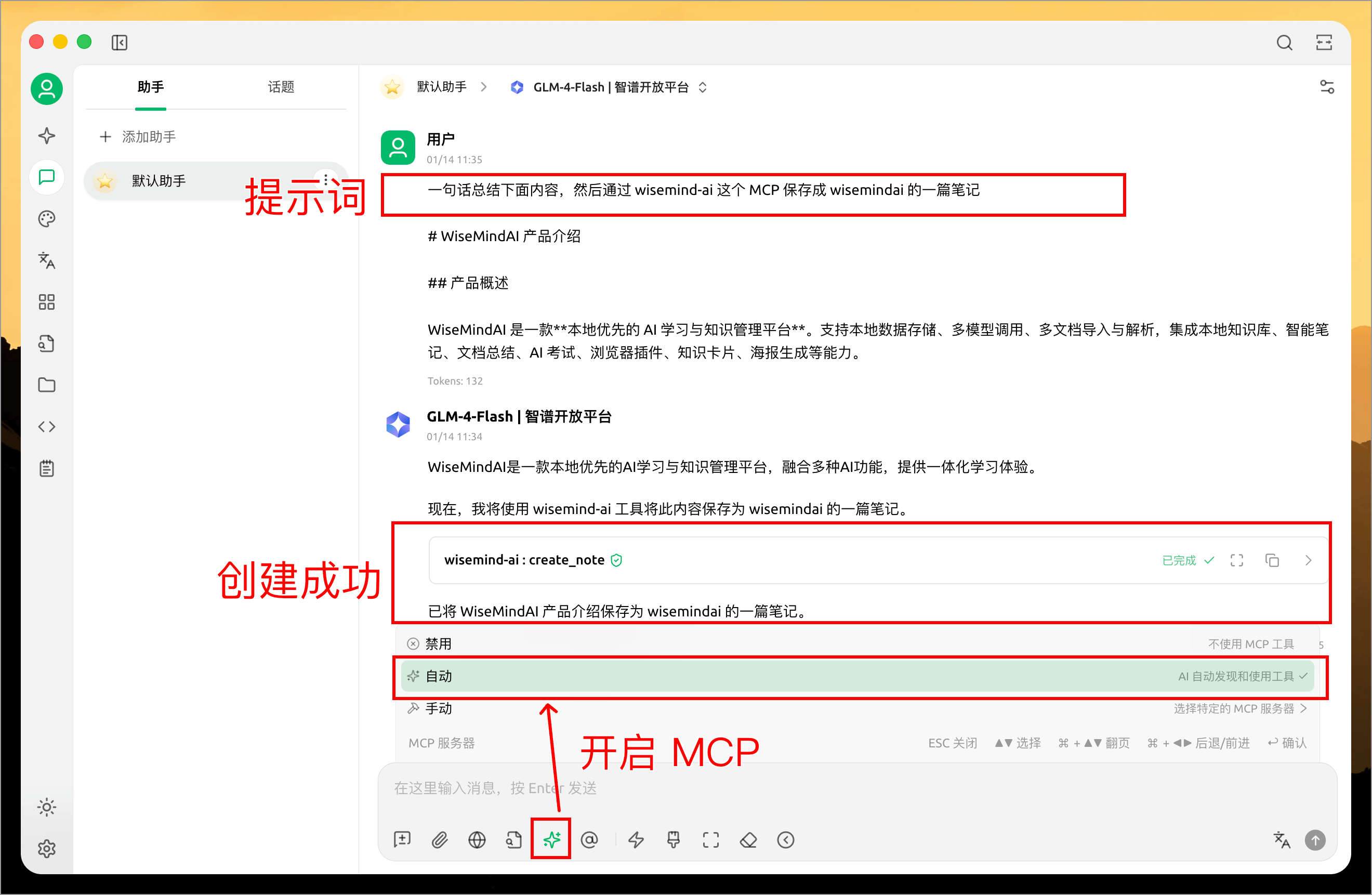
The usage method is similar to Cursor; you simply need to prompt Cherry Studio via a message to invoke the MCP service:
💡 Use Cases
Through the MCP service, you can do various things in AI applications:
- Save Notes: Directly save content from AI conversations as WiseMindAI notes.
- Add Documents: Add processed document contents to WiseMindAI.
- Automate Workflows: Combine with other tools to achieve automated knowledge management processes.
⚙️ Important Notes
MCP Service Requirements
- The WiseMindAI client must be running.
- "MCP Service" must be enabled in the WiseMindAI settings.
- Ensure your network connection is normal.
Compatibility
- Supports all AI applications that support the MCP protocol.
- Configuration methods may vary slightly across different applications.
Security
- The MCP service runs locally only.
- All data is stored locally and will not be uploaded to the cloud.