
Using the WiseMindAI CodingPlan Package
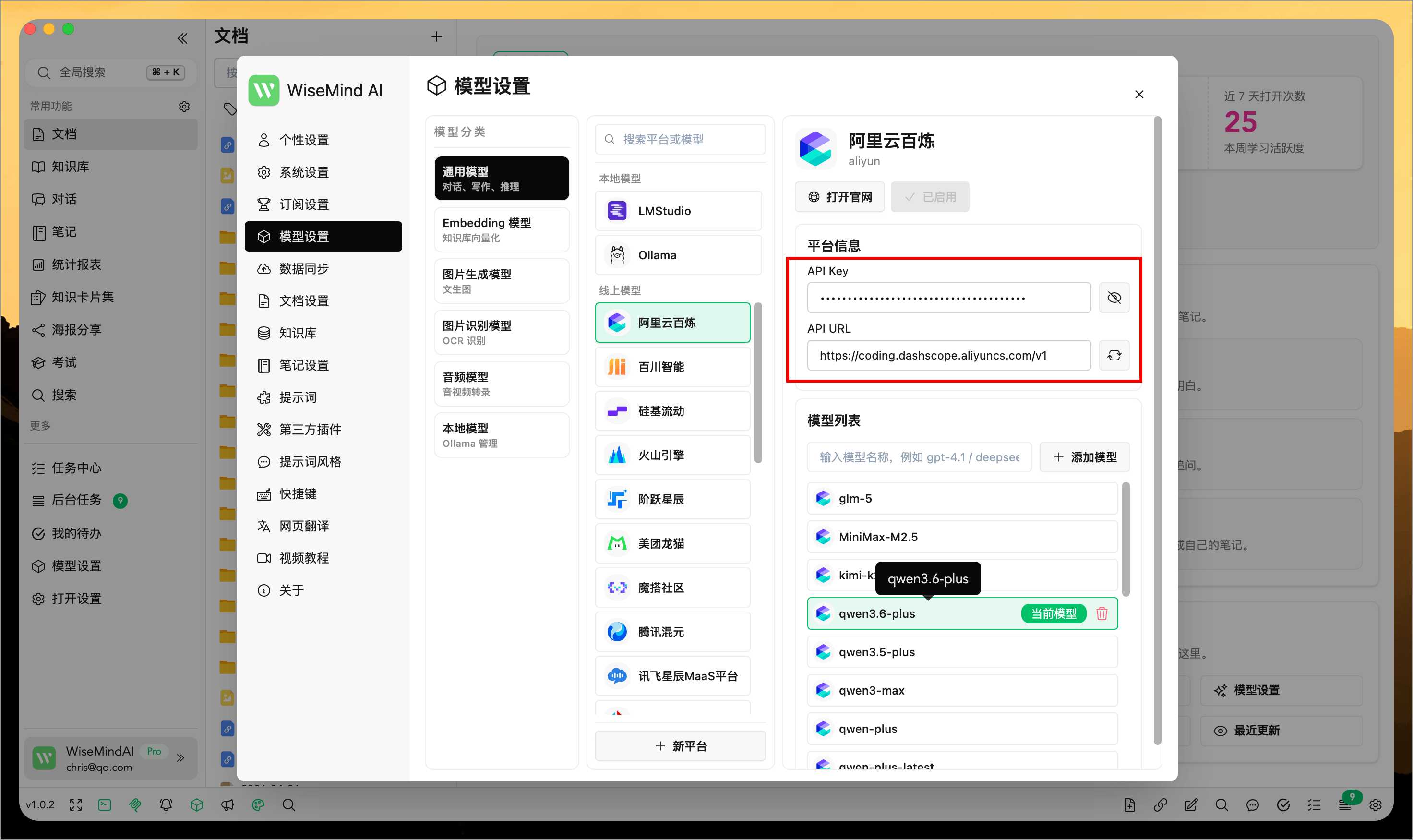
More large model platforms are now offering Coding Plan packages. WiseMindAI supports most of these, and setup is straightforward: prepare the API Key and API URL provided by your platform, configure them in WiseMindAI, and you're ready to go.
The integration process across different platforms is largely similar; here are examples using two common ones.
Note
If a model you need isn't available in WiseMindAI yet, you can manually add it before use.
1. Alibaba Cloud Bailian Platform
- Open the Alibaba Cloud Bailian Coding Plan page and copy your exclusive API Key for the Coding Plan subscription.
- Paste this API Key into WiseMindAI's model configuration.
- Set the API URL to:
https://coding.dashscope.aliyuncs.com/v1
Models currently supported by Alibaba Cloud Bailian Platform:
- Recommended models:
qwen3.6-plus(supports image understanding),kimi-k2.5(supports image understanding),glm-5,MiniMax-M2.5 - Additional models:
qwen3.5-plus(supports image understanding),qwen3-max-2026-01-23,qwen3-coder-next,qwen3-coder-plus,glm-4.7
2. Zhipu AI
- Open the Zhipu AI Coding Plan page and copy your exclusive API Key for the Coding Plan subscription.
- Paste this API Key into WiseMindAI's model configuration.
- Set the API URL to:
https://open.bigmodel.cn/api/coding/paas/v4
Models currently supported by Zhipu AI: GLM-5.1, GLM-5-Turbo, GLM-4.7, GLM-4.5-Air.
Configuration for other platforms follows a similar approach; you can try setting them up using the same method.