
Common Installation Issues for WiseMindAI
Currently, WiseMindAI has not undergone code signing. As a result, you may encounter some errors during installation while Chris is working on resolving them:
1. macOS
On macOS, the installer will prompt with an error message upon installation:
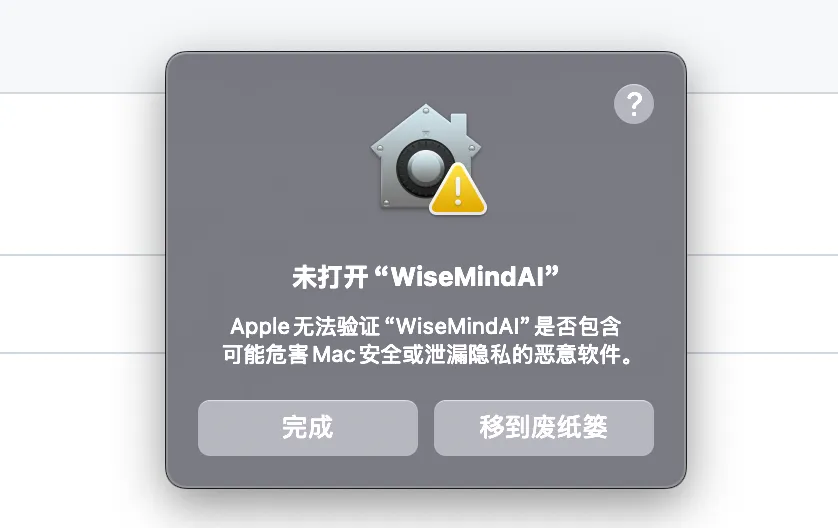
To resolve this issue, follow these steps:
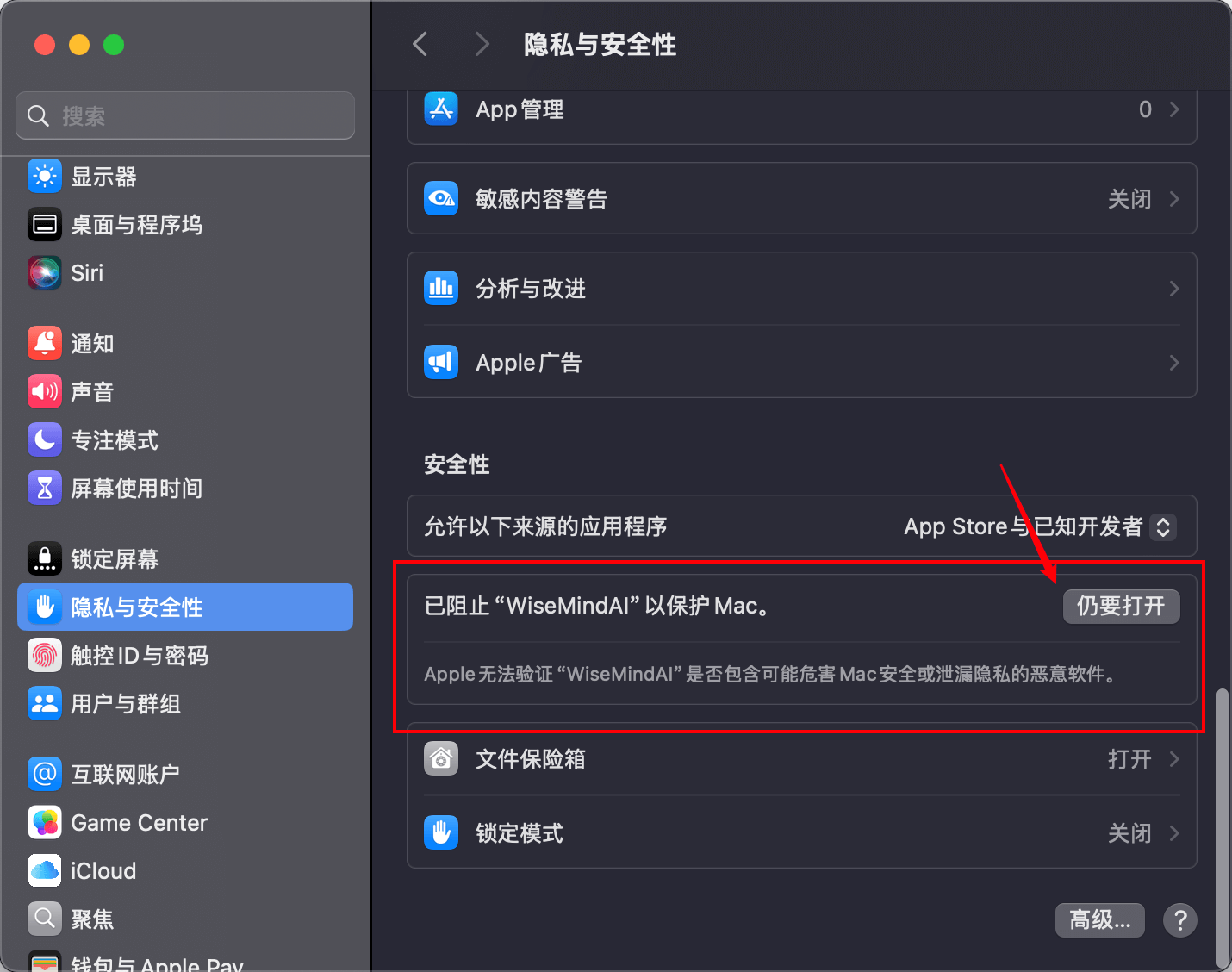
- Open Settings Panel → Privacy & Security → Security and click "Open Anyway" (仍要打开):
- Then, in the dialog box that appears, again click "Open Anyway":
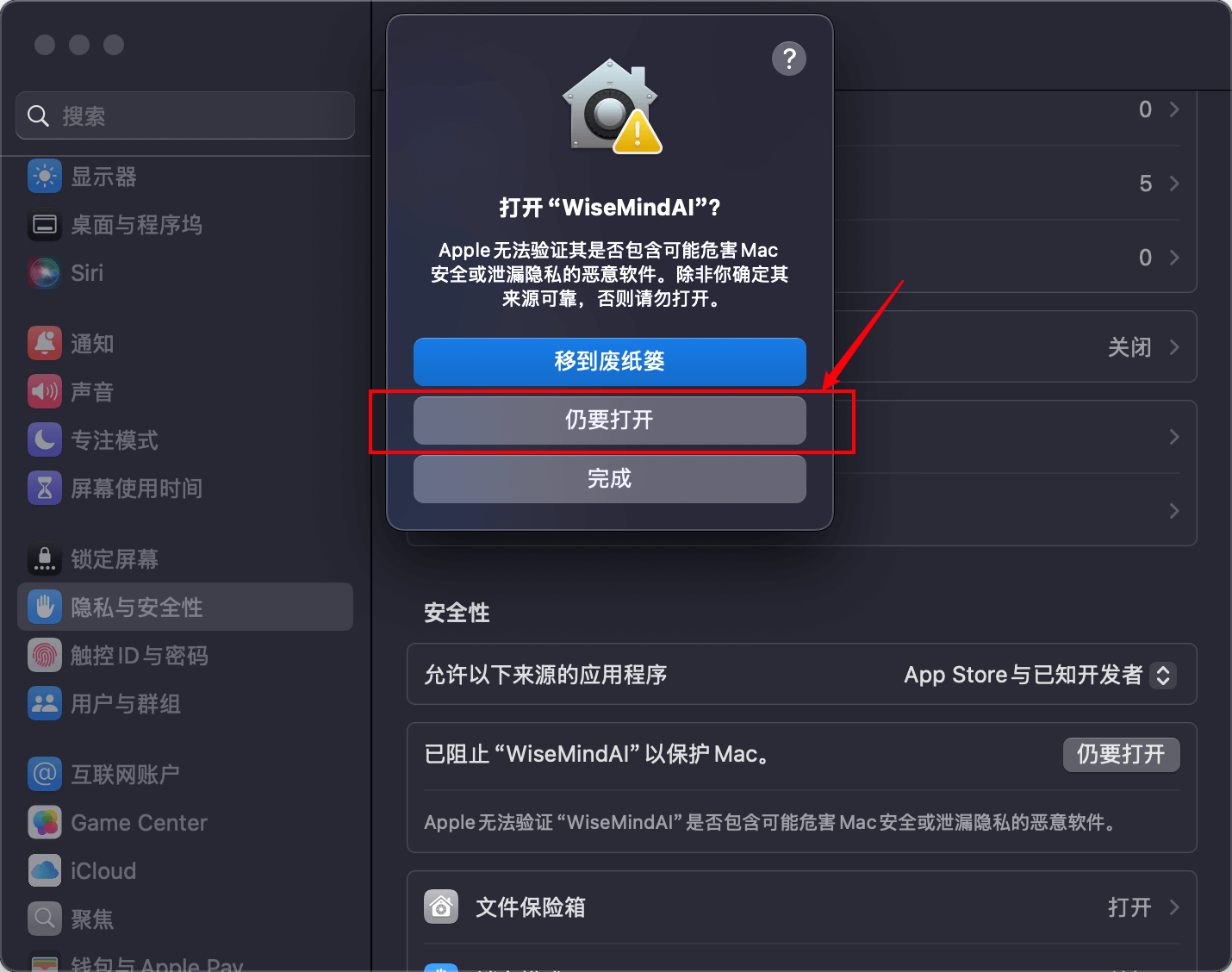
After completing these steps, you should be able to launch and use WiseMindAI normally.
2. Windows
TODO