
📝 AI-Powered Knowledge Cards
WiseMind AI supports Knowledge Card functionality, which uses AI to break down content from documents, notes, the AI knowledge base, and highlighted text into knowledge cards focused on core concepts. Each card can revolve around a concept, question, step, or conclusion, making it ideal for fragmented learning and subsequent review.
Configure first: Large Language Model API Key
💡 Feature Overview
When generating knowledge cards, you can adjust detail configurations based on your learning objectives, such as content difficulty, depth of detail, structure, and generation method. This ensures the generated cards align closely with your usage scenarios rather than providing a fixed-format summary set.
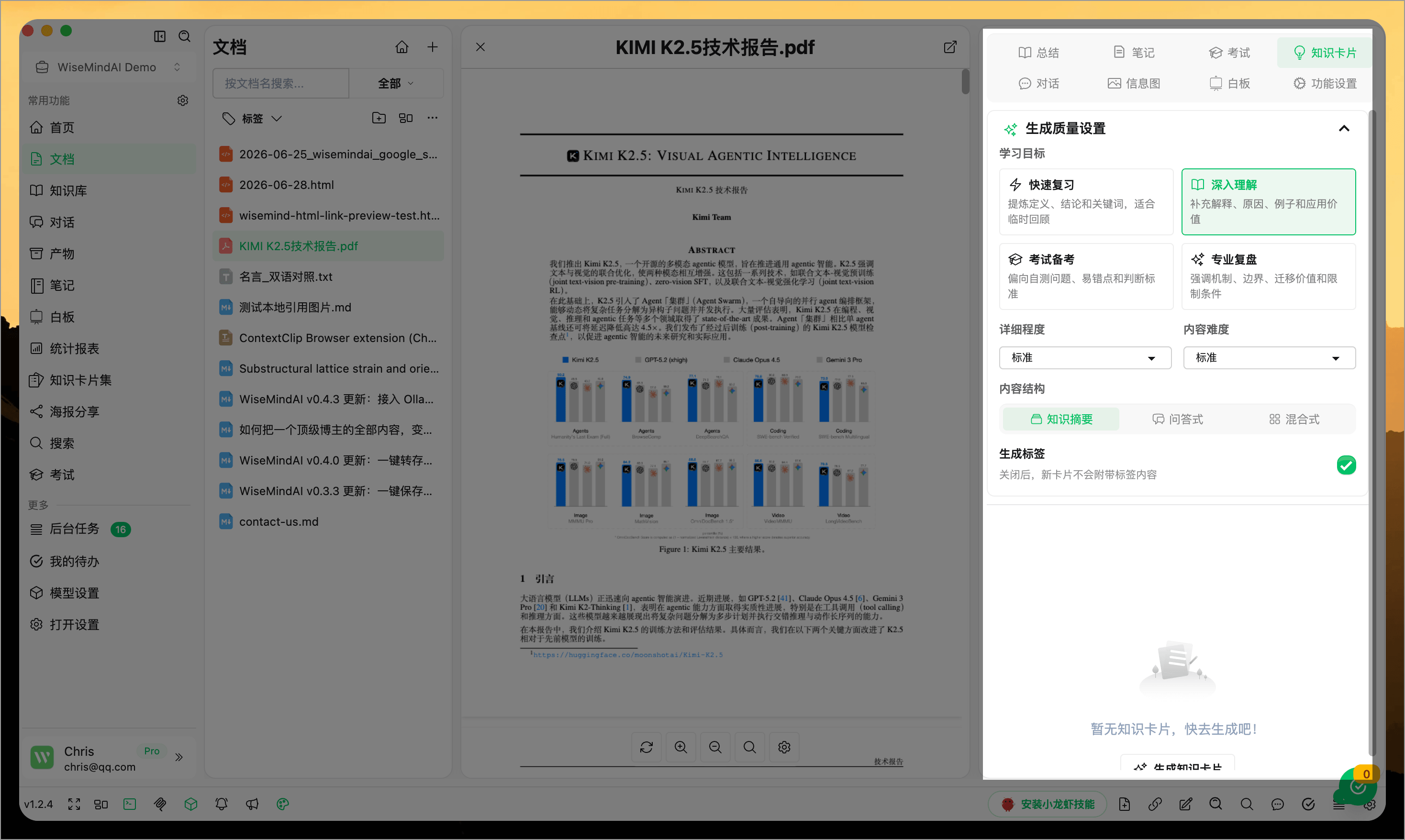
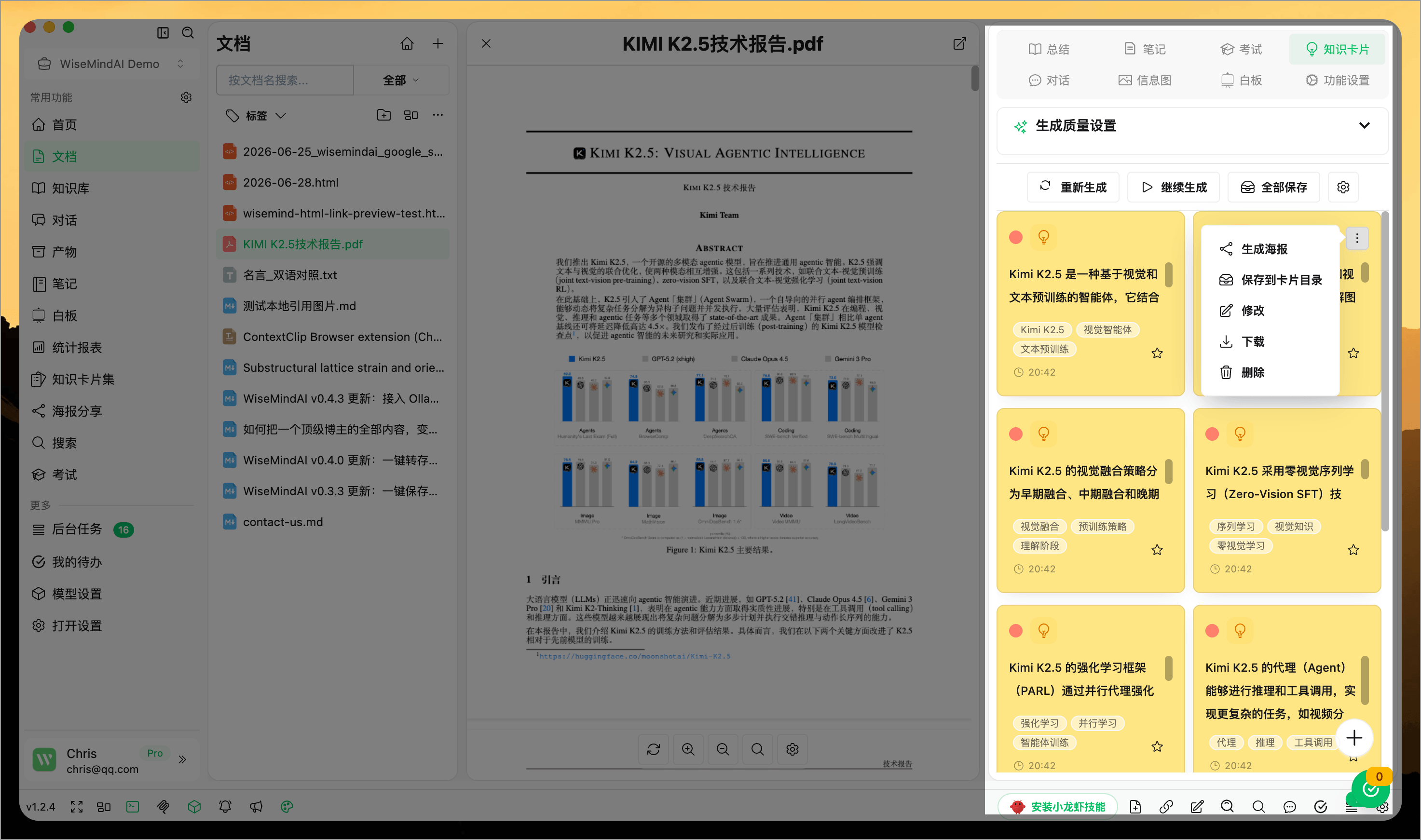
Users can perform various operations on each knowledge card:
- Modify the card background color
- Adjust card styling
- Share card content
- Favorite cards
- Edit card content
- Download card images
- Export card configuration
- Delete cards
📖 How to Use
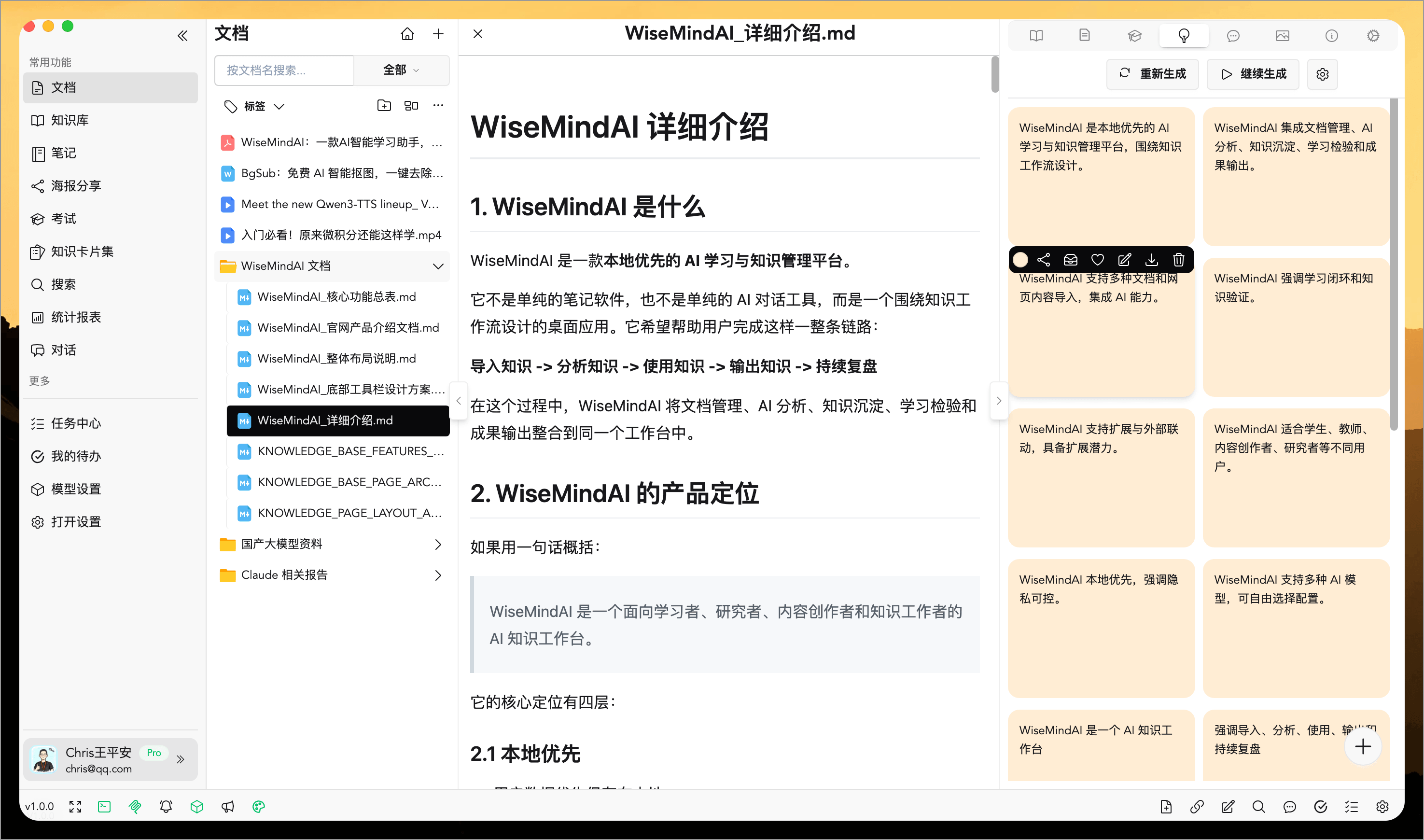
Open the Knowledge Cards tab and click "Generate Knowledge Card":
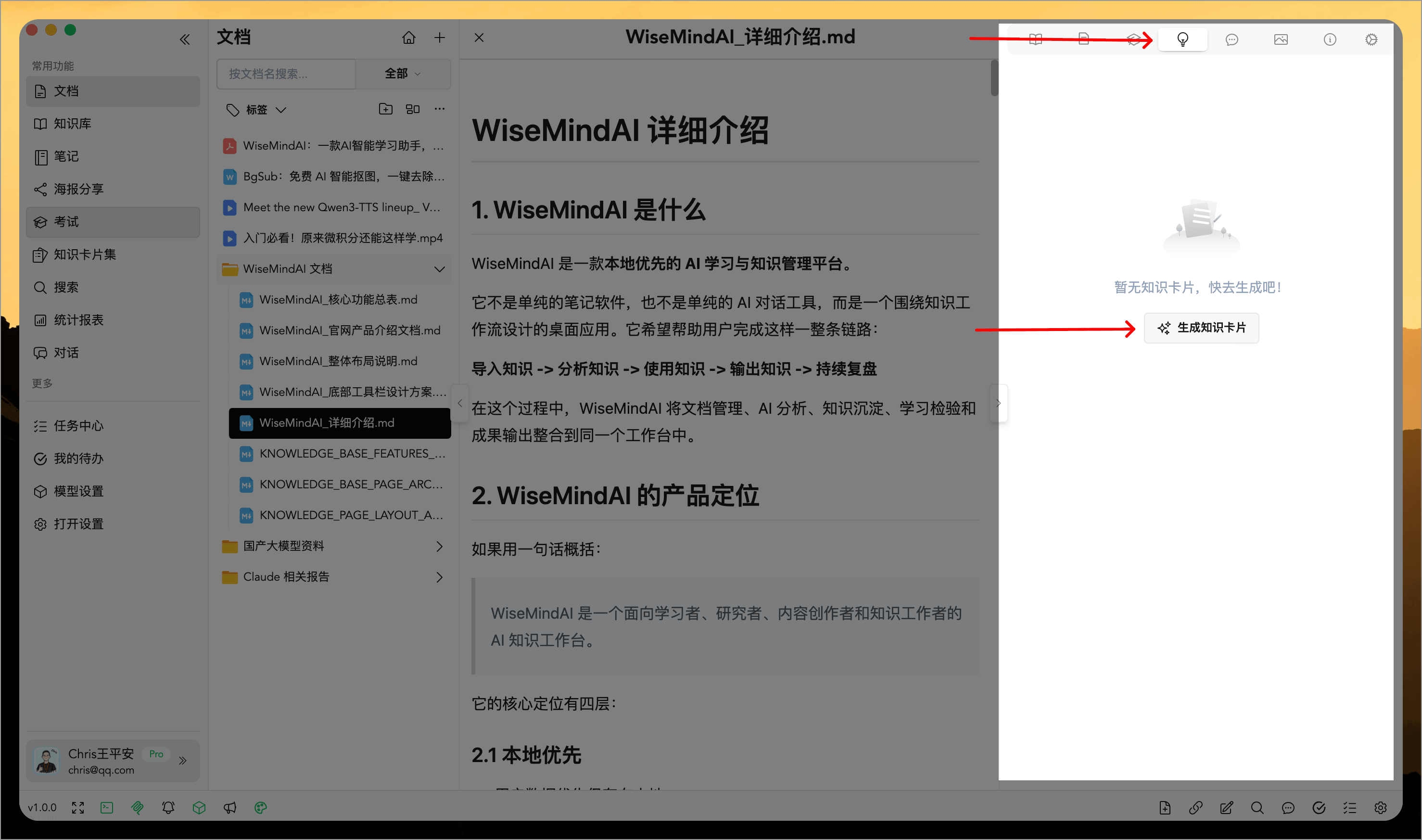
This will quickly generate multiple "knowledge cards":
Save Cards from Reading
When encountering important concepts in documents, web pages, or other content, highlight and select the text to save it directly to a knowledge card set. This workflow is suitable for capturing insights while reading without needing to copy into notes first before manually organizing them into cards.
Edit and Export Cards
Generated knowledge cards can be further edited as needed or exported based on requirements. When exporting, you can choose whether to include images and other content, making it convenient for review, sharing, printing, or archiving in other materials.
Suitable Scenarios
- Extract core concepts from a single document
- Break down reading notes and course materials into reviewable small cards
- Save highlighted text directly to the card set while browsing web pages or documents
- Prepare study materials for exam reviews, paper readings, and technical documentation learning
- Export knowledge cards for sharing, printing, or long-term archiving
FAQ
What is the difference between a Knowledge Card and a Knowledge Card Set?
A Knowledge Card is a specific study card. A Knowledge Card Set acts as a box used to store, categorize, and practice these cards. After generating cards, it is recommended to save them into corresponding sets for easier future review.
Can highlighted content be saved directly as a card?
Yes. The new highlight menu supports saving selected content directly to the knowledge card set, suitable for capturing key points instantly while reading.
Can Knowledge Cards be exported?
Yes. Knowledge cards support downloading images and exporting configurations. You can adjust whether to include images or other content before export based on your needs.