
Model Configuration
WiseMindAI's AI features require initial model configuration. There are two ways to set this up:
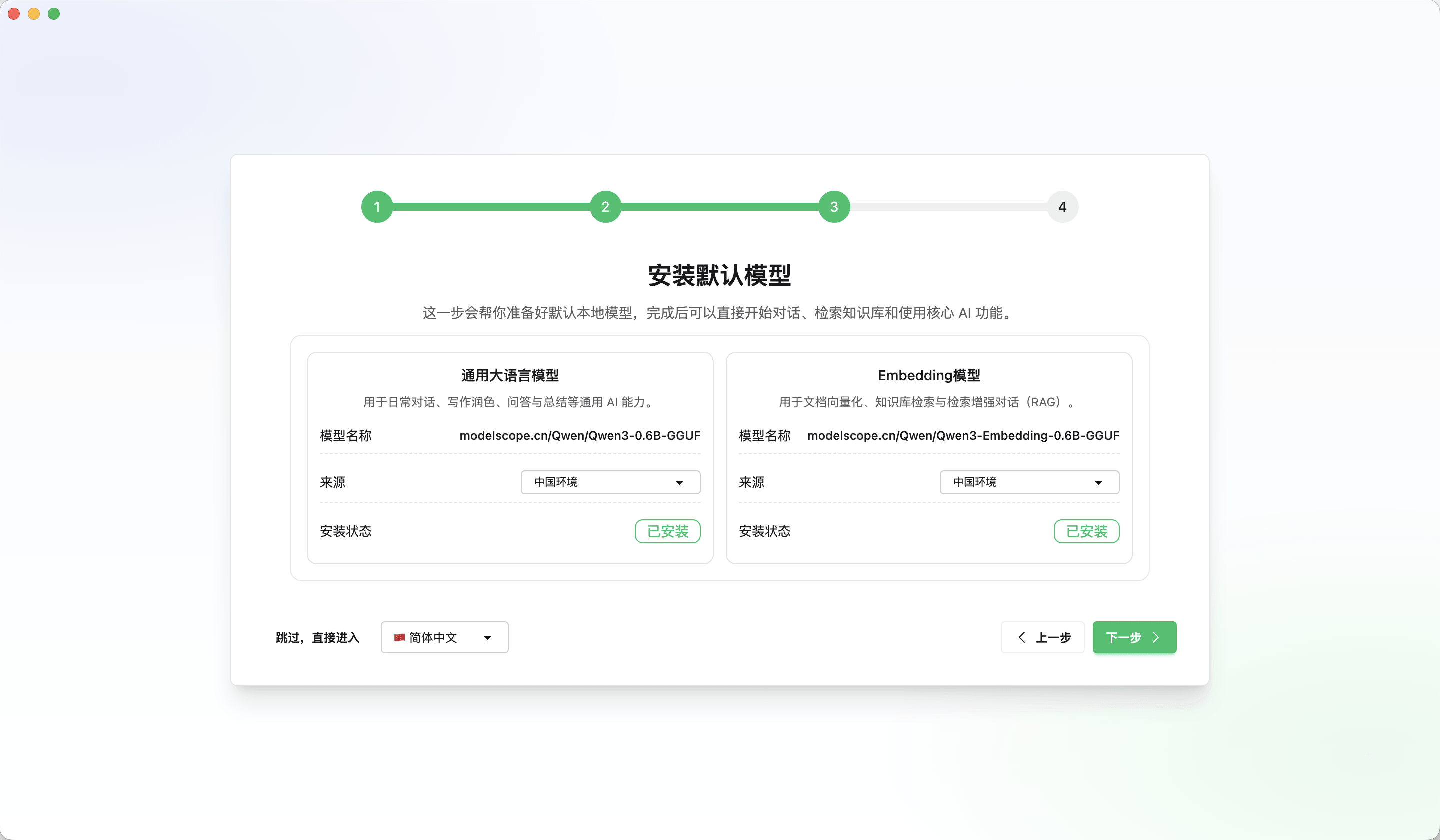
Initial Setup: When you first launch WiseMindAI, it will guide you through installing a local model and completing basic workspace settings.
Third-party Keys: You can also connect your own existing third-party API keys, such as those for ChatGPT, DeepSeek, Gemini, etc.
Open the 「Settings」 menu in the bottom-left corner of WiseMindAI and navigate to «Model Settings» to configure different models based on usage scenarios.
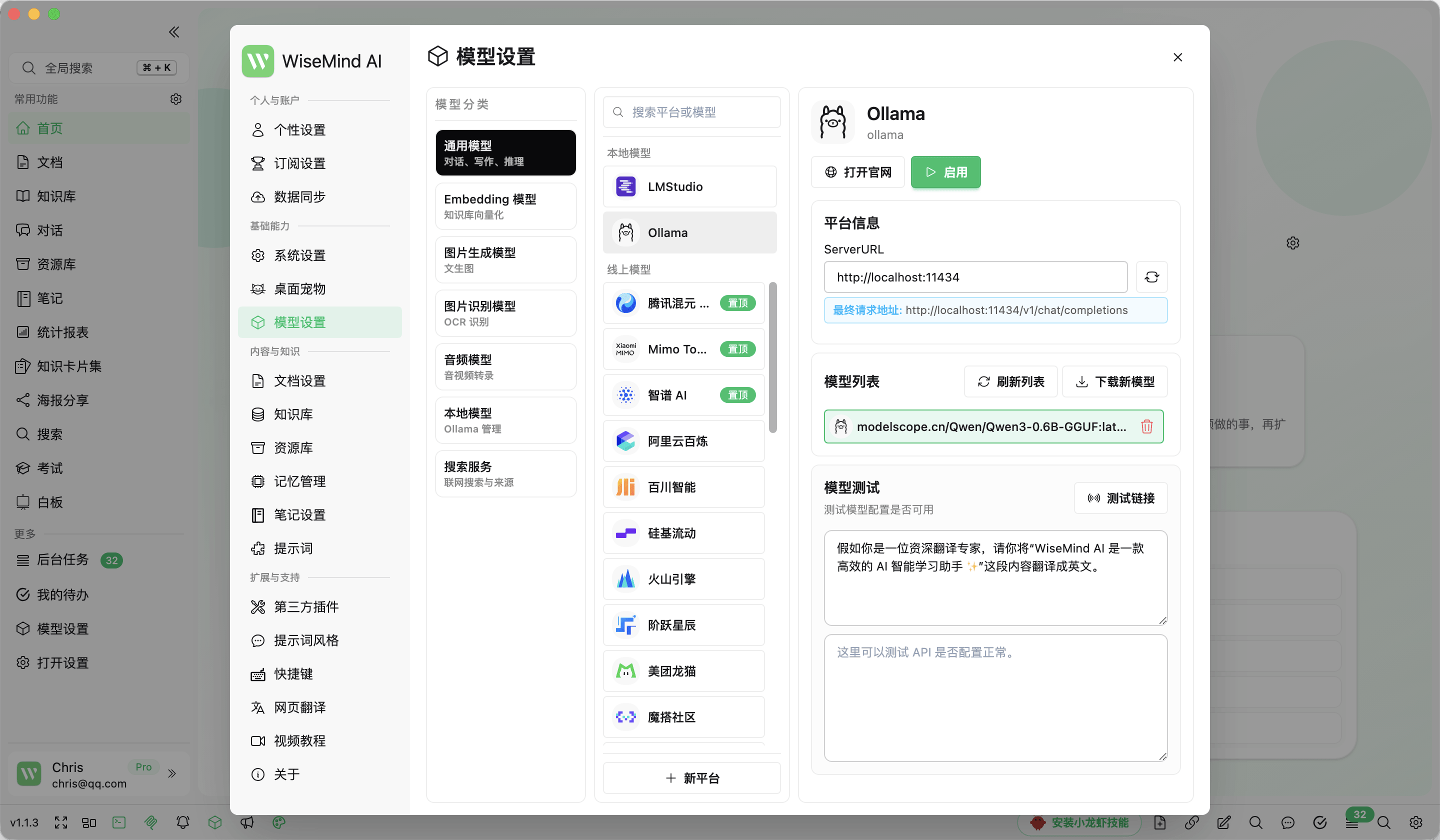
All subsequent model settings can be modified here at any time.
Configure by Need
- Local Models: Used for managing local services like Ollama or LM Studio. Ideal for users who prefer offline usage or prioritize data privacy.
- General LLMs: Used for core features such as AI chat, document summarization, knowledge base summaries, knowledge cards, mind maps, and plugins. See: Apply Large Language Model Key.
- Embedding Models: Converts documents, web pages, notes, etc., into searchable knowledge indexes; a critical prerequisite for knowledge base Q&A. See: Apply Embedding Model Key.
- OCR Text Recognition: Extracts text from images, screenshots, and scanned materials to facilitate subsequent summarization and Q&A. See: Apply OCR Service Key.
- Audio/Video Transcription: Converts audio or video content into text for summarization, outline generation, and knowledge card creation. See: Apply Audio/Video Transcribe Service Key.
- Image Generation Models: Generates infographics, posters, and other images based on concepts or prompts. See: Apply Image Generation Model Key.
Usage Recommendations
If you are new to WiseMindAI, start by keeping the default local model installed, then add a General LLM key as needed. This ensures core features like document summarization and knowledge base Q&A remain stable.
If you already have API keys from platforms such as OpenAI, Gemini, DeepSeek, Zhipu AI, Alibaba Cloud Bailian, or OpenRouter, enter them directly in the corresponding service provider section within WiseMindAI. If you use an OpenAI-compatible interface, select Custom OpenAI-Compatible Service.
Troubleshooting Tips
If document summarization works but document chat or knowledge base Q&A performs poorly, prioritize checking if your Embedding model is configured and whether documents have been analyzed.
If vectorization fails for a document, check the error message and logs. Newer versions record more detailed failure information to help diagnose issues related to model configuration, network connectivity, document format, or content size.